
Getting Started with Eved
Welcome! We're excited to partner with you. Follow the simple steps below to get your account set up and start making payments with EvedPay Card.
Instant card activation
Start spending in minutes
Real-time visibility
Track payments and balances
Powerful controls
Set limits, approvals and card settings
Earn rebates
Earn rebates on every dollar spent
Mobile app
Manage cards and receipts on the go
Your Onboarding Journey
Provide Company Information
We'll need your legal entity name, authorized signer information, and a copy of your W-9 to prepare your agreement.
Sign Your Agreement
Your agreement will be sent via DocuSign to your authorized signer. We'll let you know once it has been fully executed.
Complete Business Verification (KYC)
Complete KYC with our banking partner to activate your account.
Complete KYCComplete Eved Setup Questionnaire
Tell us about your team, workflows, and payment preferences so we can configure your account.
Eved Setup QuestionnaireAccount Setup & Access
Once approved, we'll set up your account and send your login details.
Add Funding & Issue Cards
Add funds to your account, issue cards, and start spending!
What You Can Expect
- Dedicated Customer Success Manager
- Guidance every step of the way
- Secure and reliable platform
- Training and resources
- Ongoing support
Questions?
Your Customer Success Manager is here to help throughout your onboarding and beyond.
help@eved.com- 1Go to https://web.eved.com
- 2Enter your email address.
- 3Enter your password.
- 4Click Log In.
That's it! You're in.
Need help? Contact your Customer Success Manager.
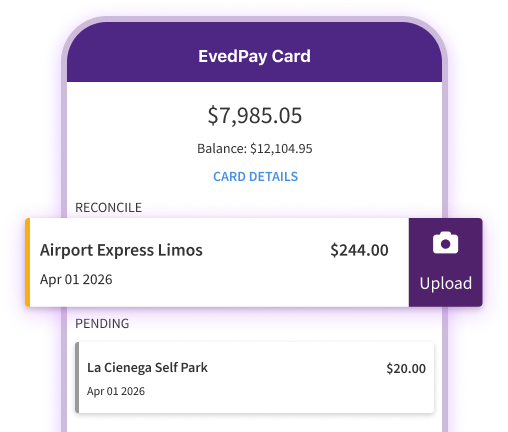
Manage your cards, view transactions, approve alerts, and upload receipts from anywhere.
- 1Search for "Eved" in the Apple App Store or Google Play Store.
- 2Download and install the app.
- 3Log in using your Eved credentials.
The Eved Setup Questionnaire helps us configure your account based on your organization's needs.
Eved Setup QuestionnaireWe'll use this information to set up users, workflows, approval processes, and payment preferences.
Add Funding
Card Admins Only- 1Click "Add Funds" next to top banner.
- 2Select the amount you would like to fund and then click "Add".
- 3You will receive a funding statement from Eved for the card amount.
- 4Please send Eved funding via wire using the instructions on the funding statement.
**Please include the funding statement ID in your wire description**
Once received, funds are typically available within 1–2 business days.
Add Cards
Card Admins Only- 1Click "Add Card" next to the EvedPay Cards.
- 2Select Card Holder, populate required fields, and then click "Add".
- 3Card will show as processing (1–2 minutes).
- 4Cards will route for approval.
- 5Users will receive email with card details immediately!
- 6Physical cards, if selected, will come in the mail in 5–10 business days.
Rush Shipping Options
- Priority (4–8 business days): $10
- Expedited (up to 5 business days): $55
- Rush (up to 4 business days): $70
Helpful Resources
What's Next?
Once your account is funded and cards are issued, you're ready to start using EvedPay Card! We recommend scheduling a 20-minute training session to review:
Contact your Customer Success Manager to schedule your training.